
Our phones and tablets have become extensions of ourselves. We use them to work, stay connected with family, capture memories, and manage everyday tasks. So when a screen cracks or a charging port stops cooperating, it can feel like a small crisis. The good news is that most of these problems are fixable, and understanding what’s involved can help you make smarter decisions when something goes wrong.
Why Screens Crack More Often Than You’d Think
Glass screens are remarkably thin and, despite their toughened coatings, they are still vulnerable to sudden impact. A short drop onto a hard surface, a bump inside a bag, or even sitting on a phone in a back pocket can be enough to create a crack. Sometimes the damage is purely cosmetic, a spiderweb pattern that doesn’t affect functionality. Other times, the display underneath is compromised, leading to dead pixels, discoloration, or a touchscreen that no longer responds accurately. If you’re searching for iphone screen repair in Chilliwack, you’re likely dealing with one of these scenarios, and it’s worth understanding the difference before deciding how to proceed. A purely cosmetic crack might be something you can live with temporarily, but a screen that flickers, shows lines, or doesn’t register touches properly needs prompt attention before the damage spreads further into the internal components.
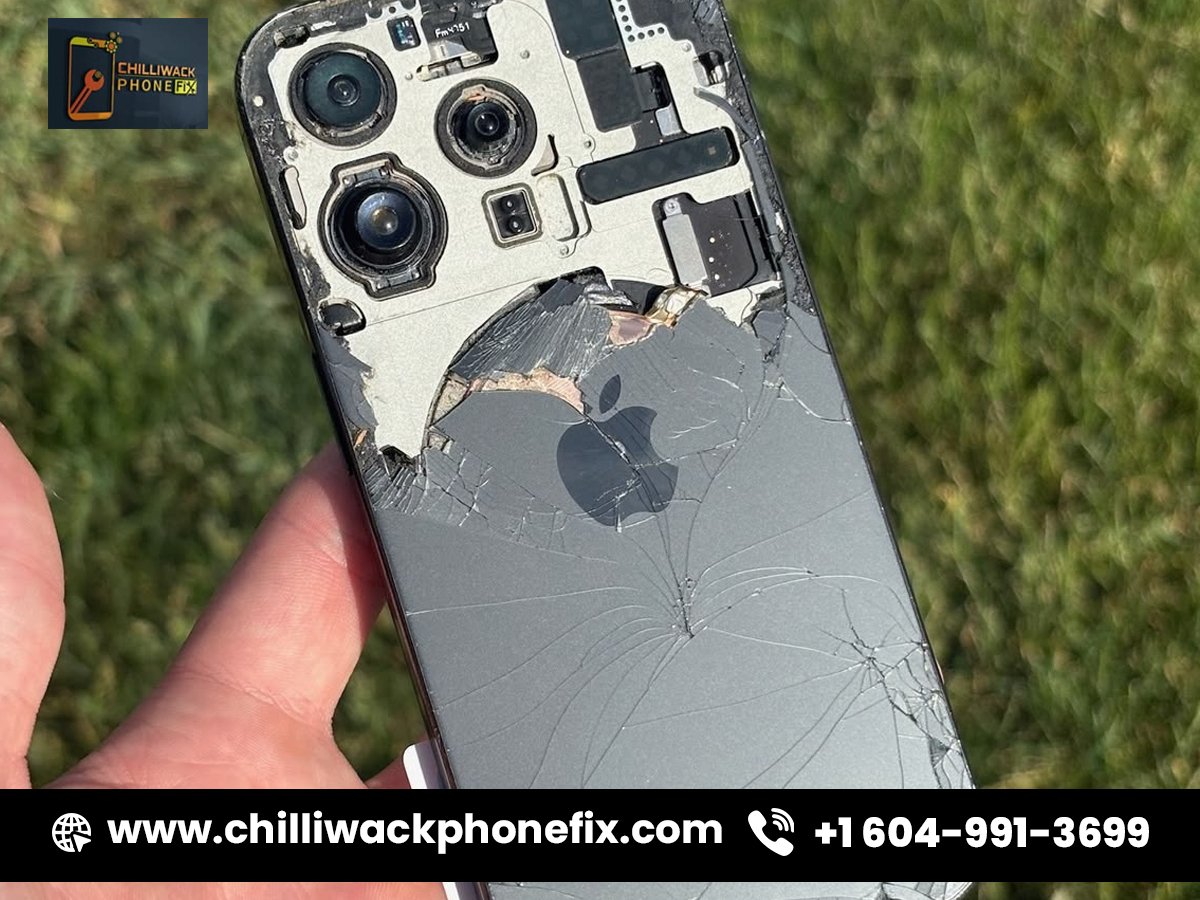
Recognizing the Signs of Screen Damage
Not all screen damage looks the same, and knowing what you’re dealing with can help you communicate clearly with a technician. Common signs include visible cracks or spiderweb patterns across the glass, dark spots or discoloration in certain areas, touch responsiveness issues where taps register in the wrong place or don’t register at all, flickering or flashing colors, and in more severe cases, complete display failure where the phone still powers on but shows nothing. If your device has been dropped in water or exposed to moisture along with physical damage, that adds another layer of concern, since liquid can seep into the display assembly and cause corrosion over time. Documenting when the damage occurred and what caused it can also be helpful information to share with whoever ends up doing the repair.
The Hidden Culprit: Charging Port Problems
While cracked screens get most of the attention because they’re visually obvious, charging port issues are just as common and often more frustrating because the symptoms aren’t always clear-cut. A charging port collects lint, dust, and debris every time a device sits in a pocket or bag, and over months or years, that buildup can prevent the charging cable from making a solid connection. Beyond debris, the small metal pins inside the port can bend or wear down from repeated plugging and unplugging, especially if the cable is inserted at an angle or with excessive force. Corrosion is another factor, particularly if the device has ever been exposed to moisture, even briefly. When it comes to iPad Charging port repair, the challenge is that tablets are used differently than phones. They’re often left charging overnight, propped up at odd angles, or used in kitchens and other spots where spills are more likely, all of which can accelerate wear on the port over time.
How to Tell If It’s the Port, the Cable, or the Charger
Before assuming the worst, it helps to rule out simpler explanations. Try a different charging cable and a different wall adapter to see if either of those is the actual problem. Inspect the port itself with a flashlight for visible lint, dust, or bent pins. Gently clean the port with a dry, soft brush or a wooden toothpick, being careful not to push debris further inside or scratch the internal contacts. If the device charges intermittently only when the cable is held at a specific angle, that’s often a strong indicator that the port itself has a loose or damaged connection rather than an issue with the cable or charger. If none of these steps restore reliable charging, the port likely needs a closer inspection from someone experienced in disassembling the device safely.
Why DIY Fixes Can Be Risky
It’s tempting to search online tutorials and attempt a fix yourself, especially with so many videos available. However, modern phones and tablets are intricate pieces of engineering. Screens are often fused to the frame with strong adhesive, connected by fragile ribbon cables, and layered with sensors for things like face recognition, ambient light detection, and haptic feedback. A single misstep during disassembly can damage a component that had nothing to do with the original problem. Charging ports are similarly delicate, often soldered directly onto the logic board or connected through small flex cables that tear easily if handled incorrectly. Without the right tools, such as precision screwdrivers, spudgers, and sometimes heat guns to soften adhesive, DIY attempts can turn a single-issue repair into a multi-part failure.
What to Expect From a Professional Repair Process
A thorough repair typically starts with a diagnostic check to confirm the exact issue rather than assuming based on symptoms alone. From there, the technician should walk you through what needs to be replaced and roughly how long the process will take. Quality matters here, since replacement parts vary widely in build and durability. Once the repair is complete, a good technician will test the device thoroughly, checking touch sensitivity across the whole screen, verifying charging speed and stability, and making sure other components like the camera, speakers, and buttons still function properly, since these can sometimes be affected during disassembly.
Preventing Future Damage
Once your device is repaired, a few habits can help avoid a repeat visit. Using a quality case with raised edges helps absorb impact if the device is dropped. Applying a tempered glass screen protector adds a sacrificial layer that can crack instead of the actual display. For charging ports, avoid yanking cables out at an angle, keep the port free of lint by occasionally checking pockets and bags, and consider using a wireless charging pad when possible to reduce wear on the physical connector altogether.
Final Thoughts
Screen cracks and charging port issues are two of the most common problems device owners face, but they don’t have to mean the end of your phone or tablet’s usable life. Understanding the signs, trying basic troubleshooting steps, and knowing when to bring in professional help can save you time, money, and unnecessary stress. Taking a few preventive steps afterward can also extend the life of your device significantly, keeping it reliable for everyday use.