
Smartphones and tablets have become essential tools for daily life, handling everything from communication to entertainment to work tasks. Despite their durability, these devices are still prone to wear and tear over time. Two of the most common issues users face involve camera damage and charging problems. Understanding these issues, their causes, and repair options can help you make informed decisions when your device needs attention.
Camera Lens Damage and Repair Options
Modern smartphones rely heavily on their cameras, and any damage to this component can significantly impact the user experience. A cracked or scratched lens not only affects photo quality but can also pose risks to the internal camera sensor if left unaddressed. For users experiencing this issue, a Google Pixel camera lens replacement is often the most practical solution, restoring image clarity and protecting the phone’s internal components from dust and moisture. This type of repair typically involves removing the damaged glass covering and installing a new one without disturbing the sensor assembly underneath, allowing the device to function as it did before the damage occurred.
Camera damage usually results from drops, impacts, or pressure applied to the back of the device. Even a small crack in the lens cover can scatter light entering the camera, leading to blurry images, unwanted glare, or dark spots in photos. In some cases, debris can enter through the crack and settle on the sensor, causing permanent spots on every image taken afterward. Addressing lens damage promptly prevents these complications and helps maintain the overall integrity of the device’s rear housing.
Charging Port Problems and Solutions
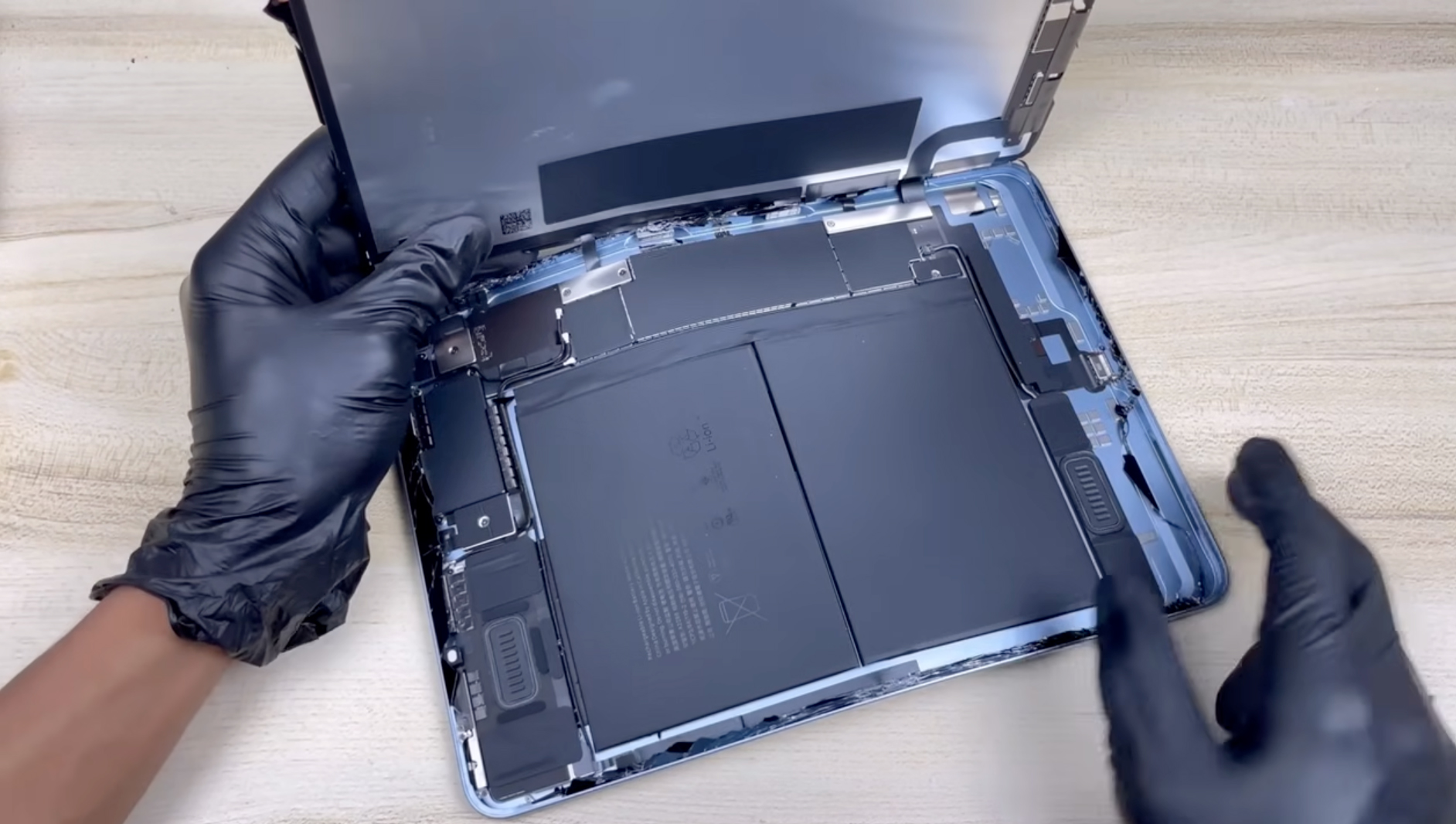
Charging issues are another widespread concern among tablet and smartphone users. Over time, the charging port can accumulate dust, lint, and debris, which may interfere with the connection between the cable and the device. In more severe cases, the port itself can become physically damaged due to repeated plugging and unplugging, bent connector pins, or exposure to moisture. When cleaning no longer resolves the problem, an iPad charging port replacement becomes necessary to restore reliable power connectivity. This repair involves carefully disassembling the device to access the charging assembly, removing the damaged port, and installing a new one that fits the original connector specifications, ensuring the device charges and syncs as intended.
Recognizing the early signs of charging port issues can save users from more serious problems down the line. Common symptoms include a cable that needs to be held at a specific angle to charge, intermittent connection during charging sessions, or a complete failure to charge despite trying multiple cables and power adapters. Sometimes the issue is mistaken for a battery problem, when in fact the connection between the charger and the internal circuitry is the actual culprit. Diagnosing the correct issue early on prevents unnecessary battery replacements and ensures the right component is addressed.
Screen Damage Concerns
Beyond cameras and charging ports, screens represent another frequently damaged component. Cracked or shattered displays not only look unsightly but can also affect touch sensitivity, display brightness, and color accuracy. A damaged screen can also allow moisture and dust to enter the device, potentially causing further internal damage over time. Screen repairs typically involve replacing the entire display assembly, which includes both the glass and the underlying touch-sensitive layer, ensuring the device responds accurately to touch input after the repair.
Battery Health and Performance
Battery health is another important consideration for device longevity. As batteries age, they lose their ability to hold a charge efficiently, leading to faster battery drain and, in some cases, unexpected shutdowns even when the battery indicator shows remaining charge. Extreme temperatures, frequent full discharges, and constant fast charging can accelerate this degradation process. When a device begins to show signs of battery wear, such as significantly reduced screen time between charges or the device feeling unusually warm during normal use, a battery replacement can restore the device’s performance to near-original levels.
Speaker and Microphone Issues
Speaker and microphone issues are also common, particularly in devices that are frequently used outdoors or in dusty environments. Debris can accumulate in the small mesh openings that protect these components, leading to muffled audio output or reduced microphone sensitivity during calls. While gentle cleaning with proper tools can sometimes resolve minor blockages, more severe cases may require replacing the speaker or microphone module entirely to restore clear audio performance.
Dealing with Water Damage
Water damage remains one of the most challenging issues to address, as it can affect multiple components simultaneously depending on the extent of exposure. Even devices marketed as water-resistant can suffer damage if exposed to liquids for extended periods or if the protective seals have degraded over time. Symptoms of water damage may not appear immediately, sometimes manifesting days or weeks after the initial exposure as corrosion gradually affects internal connections. Prompt action after any liquid exposure, including powering down the device and avoiding charging until it has been thoroughly dried and inspected, can help minimize long-term damage.
Button Malfunctions
Button malfunctions, whether affecting volume controls, power buttons, or home buttons on older devices, can also disrupt daily usage significantly. These issues often stem from physical wear on the button mechanism itself or from debris accumulation around the button housing. In some cases, software updates can temporarily mask hardware button issues by enabling alternative control methods, but a proper hardware repair addresses the root cause of the problem.
Repair or Replace: Making the Right Decision
When facing any of these issues, it’s important to consider the age and overall condition of the device before deciding on a repair approach. For newer devices with otherwise good condition, repairing a single damaged component often makes sense and extends the device’s useful life considerably. For older devices approaching the end of their typical lifecycle, weighing repair costs against the benefits of upgrading to a newer model becomes an important consideration.
Final Thoughts
Regardless of the specific issue, choosing experienced technicians who use quality replacement parts ensures the best possible outcome for any repair. Proper repairs not only restore functionality but also help maintain the device’s resale value and overall lifespan. Taking care of minor issues promptly, before they escalate into more significant problems, is always the best approach to device maintenance and ensures your smartphone or tablet continues to serve you reliably for years to come.